Technical Support for ASEBA® Software Products

How to Add Clinicians (to drop-down list in Add Form) in ASEBA-PC 2026
< 1 min read
Once the User has been created, please add the User (clinician) to the drop-down list of clinicians for the organization to use when adding a form.
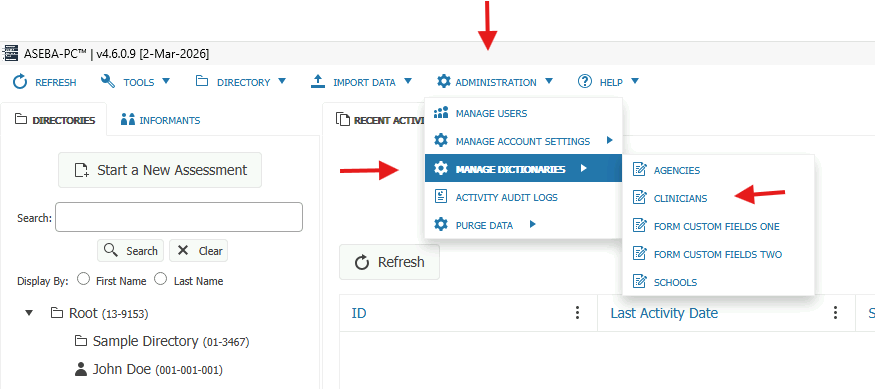
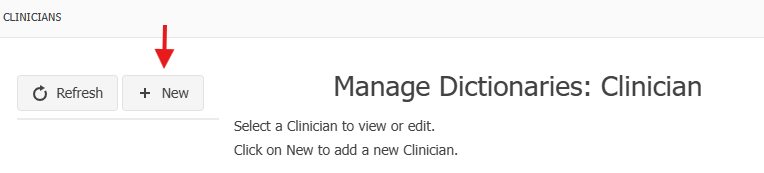
Please navigate to ADMINISTRATION > MANAGE DICTIONAIRES > CLINICIANS > New.
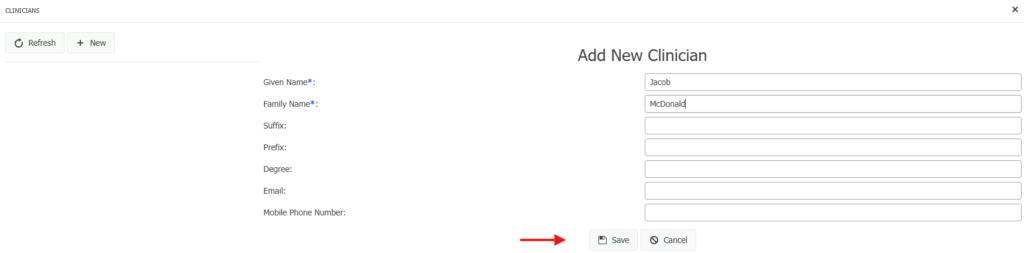
Please fill in Given Name and Family Name. Suffix, Prefix, Degree, Email and Mobile Phone Number are all optional. Click Save.
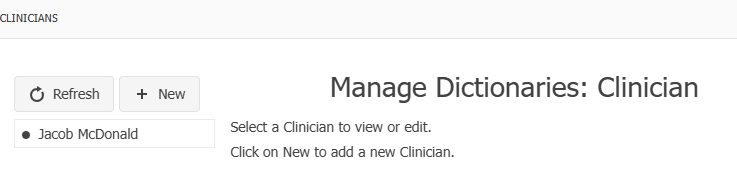
The newly created clinician will appear in the left column:
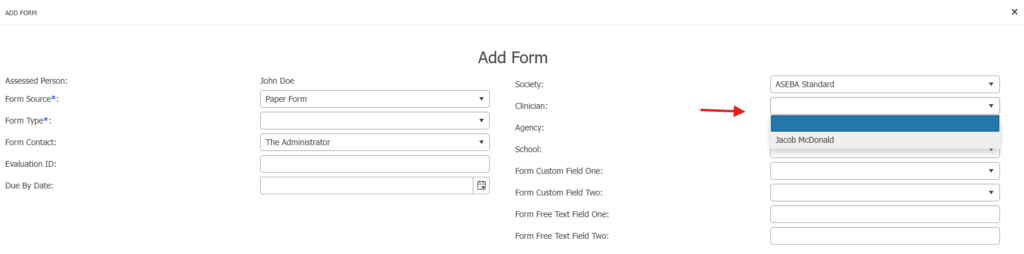
When Adding a Form, the clinician will appear in the Clinician drop-down list: