Technical Support for ASEBA® Software Products
How to Customize the Informant Message Template (Administrators Only)
< 1 min read
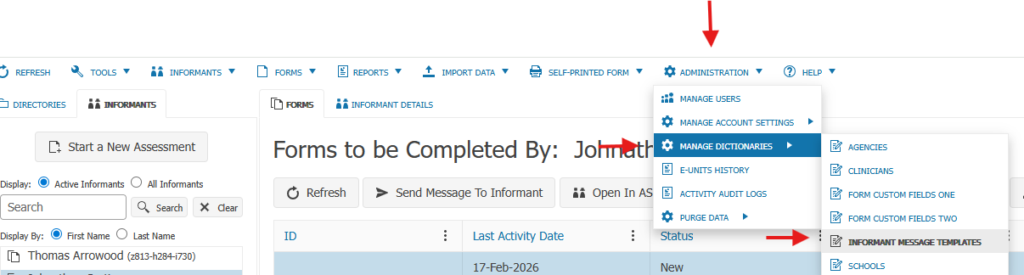
To create an Informant Message Template, click on ADMINISTRATION tab, MANAGE DICTIONARIES tab, and INFORMANT MESSAGE TEMPLATES:
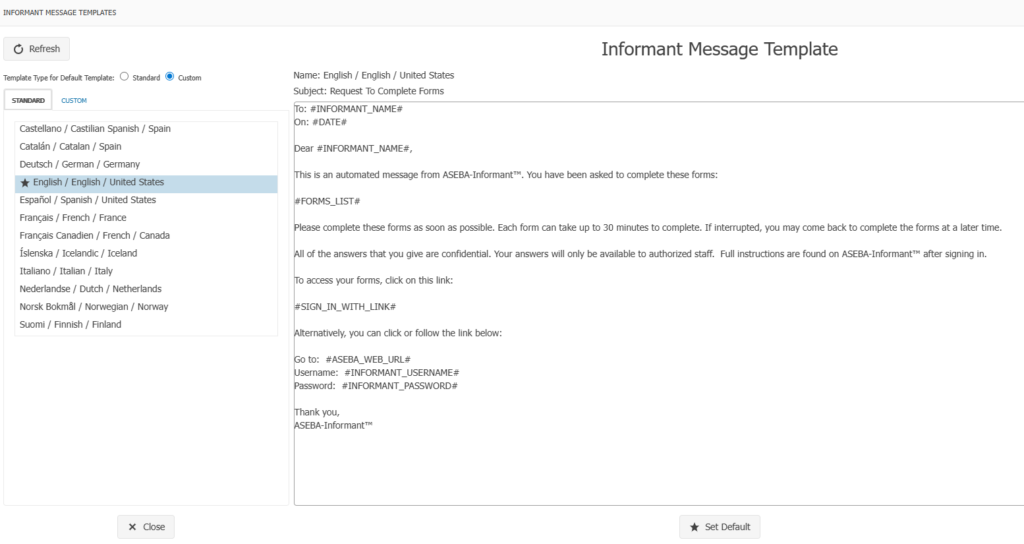
Choose between Standard templates or Custom: Example of Standard below:
Example of Custom below:

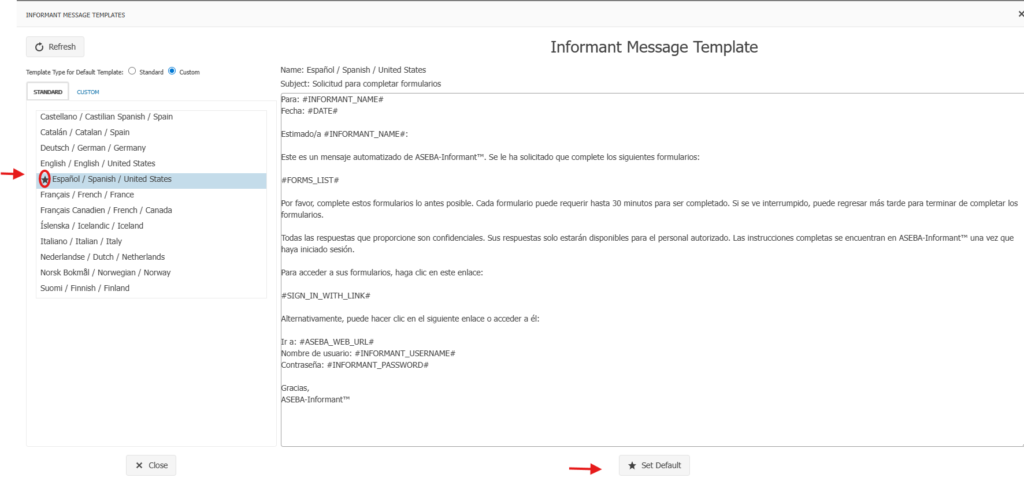
If Standard template is chosen, click on the language and click on Set Default button for this template to be the default for your organization. For example, Spanish is chosen in the example below. The star next to the language indicates the default language:
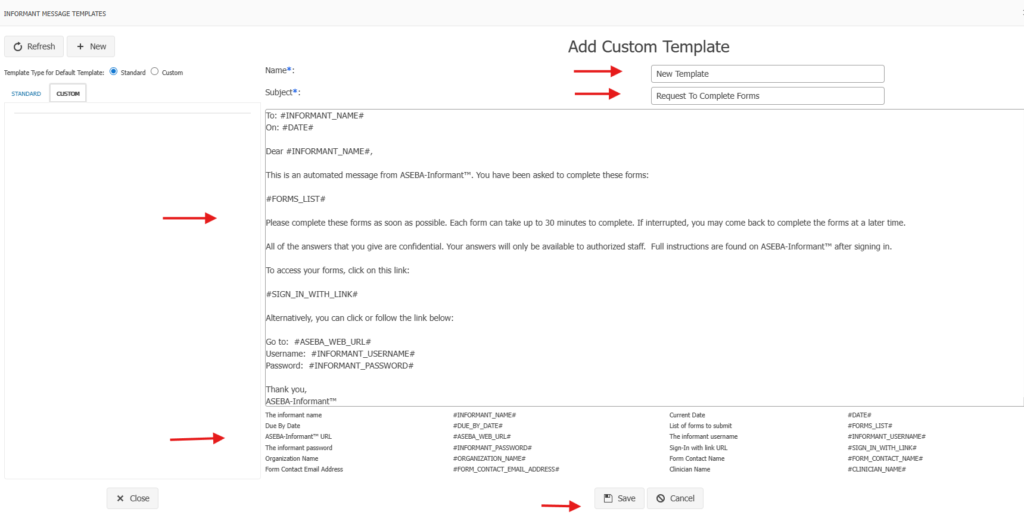
If Custom is chosen, please click on New to create the custom message template: Name, the template, the Subject can be edited, the letter can be edited, and at the bottom of the letter are the phrases that can be used to customize the letter. Do not alter any of the form links. Click Save.
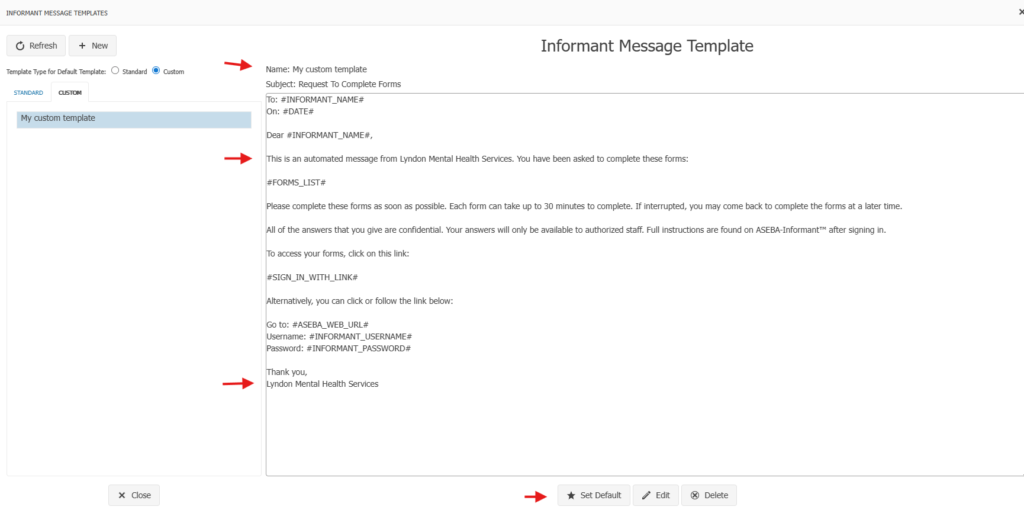
An example of a customized template below:
The template was given a name, the organization name was added and if desired, the message template can be set as a default by clicking the Set Default button. The customized template will then be the default when sending out informant messages.
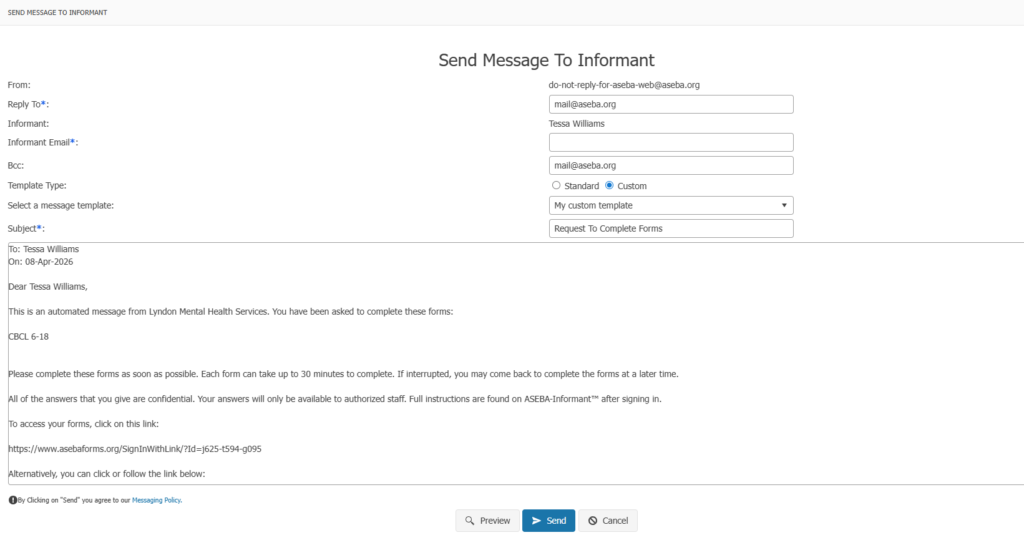
The example below is of a Standard template, Spanish chosen as the language and set as the default: