Technical Support for ASEBA® Software Products
How do I use the auditing tools? (ASEBA-Web)
The auditing tools can be used to see who has been using the program, who has signed in/out, who has accessed the users management page, and who has created forms, deleted forms, and read or updated data.
Only an account administrator may access the auditing tools.
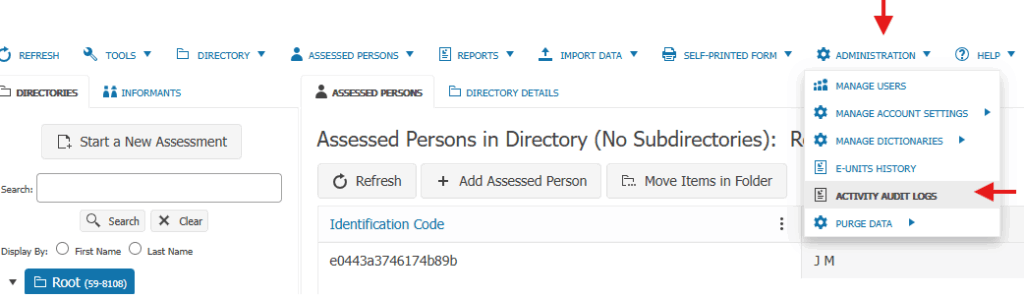
Please click on ADMINISTRATION tab at the top of the page and select ACTIVITY AUDIT LOGS
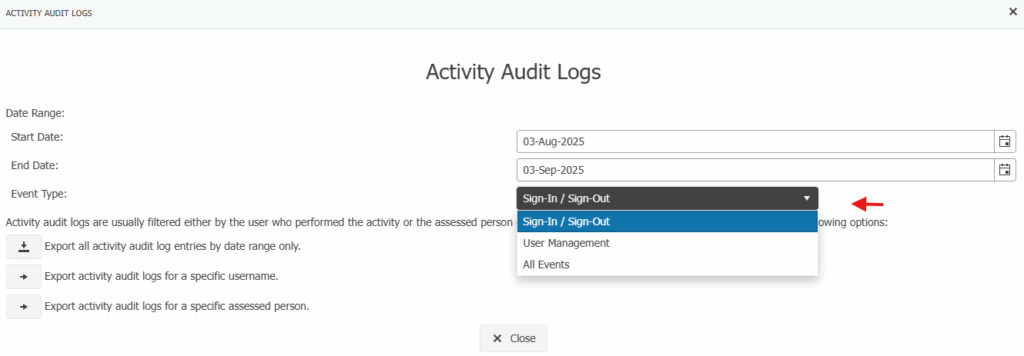
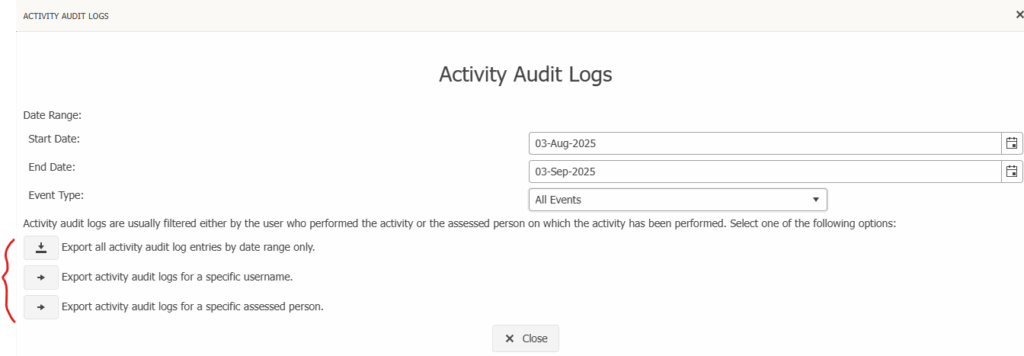
Select any of the options and a time frame; doing so will download an excel file with the requested data.
Please note that the date range can only span a maximum of 30 days.